Looking for a free business networking app that works on Android and skips the cold messages? Kradoz is worth a download in 2026. It matches you with founders, mentors, researchers and other professionals whose goals fit yours. Then a chat opens only when you both say yes, so every conversation starts with mutual interest.
Get Kradoz free on Android. Download Kradoz from Google Play and start meeting founders, mentors and professionals who want to meet you too. It is free, with no paid tier.
A quick note before we start: this is the Kradoz blog, so yes, we are writing about our own app. To keep it fair, we will stick to what the app does, who it suits and how to set it up. That way, you can judge for yourself.
What to look for in a free business networking app for Android
Plenty of apps call themselves free. However, many of them lock messaging or profile views behind a subscription. So before you install anything, check for these six things:
- Free means free. You should be able to match and chat without paying. So read the pricing details and the Play Store listing before you sign up.
- Consent before contact. Good apps let you choose who can message you. Otherwise, your inbox fills up with sales pitches.
- Profiles built around goals. A job title alone tells you very little. Instead, look for profiles that show what someone wants, such as a co-founder, a mentor or a research partner.
- A way to verify people. Optional checks, like linking a LinkedIn profile, make it easier to trust who you are talking to.
- Clear data practices. Before you install, scroll to the Data safety section on Google Play. It explains what data an app collects and why.
- Reach beyond your city. If you work across borders, you need people from more than one country.
How Kradoz works as a free business networking app
Kradoz is a free business networking app for Android from Kradoz LLC, a company founded in 2024. It runs on Android today, while an iOS version is in development. The idea is simple. You meet people one profile at a time, and nobody can message you unless you both agree.
Here is how it works:
- Build your profile. Kradoz profiles cover your role, industry, goals, academic level and interests.
- See relevant matches. Then the app shows you people whose goals fit yours and who share your interests.
- Choose who to connect with. You decide on each profile. When you both say yes, a chat opens.
- Take it from there. Plan a call, meet for coffee or start working on something together.
There is no paid tier, so every member gets the same app. Verifying with LinkedIn is optional. Still, we recommend it, because it helps other members trust your profile. You can read more on our How It Works and Features pages.
Who gets the most from a business networking app like Kradoz
Kradoz suits people who know what kind of connection they want. For example:
- Founders looking for a co-founder. A first-time founder in Berlin might want a technical partner who also cares about climate tech. Our co-founder matching page explains how that works.
- Mentors and mentees. An engineer in Manchester could give an hour a month to early-career developers. Meanwhile, a graduate in Casablanca might want advice on a first product role. See mentorship and advisory.
- Researchers and academics. A PhD student in Riyadh can look for co-authors outside her own university. Learn more about academic and research discovery.
- Entrepreneurs and freelancers. If you run a small business in Toronto or Madrid, you can meet partners, advisors and peers. Our page on networking for entrepreneurs has more ideas.
We built Kradoz for professionals worldwide, not for one city or one market. That helps when you work remotely, plan a move or sell to clients abroad. And since Kradoz is a free business networking app, students and early-career professionals can join without a budget.
How to download Kradoz on Android, step by step
Installing this free business networking app on an Android phone takes just a few steps:
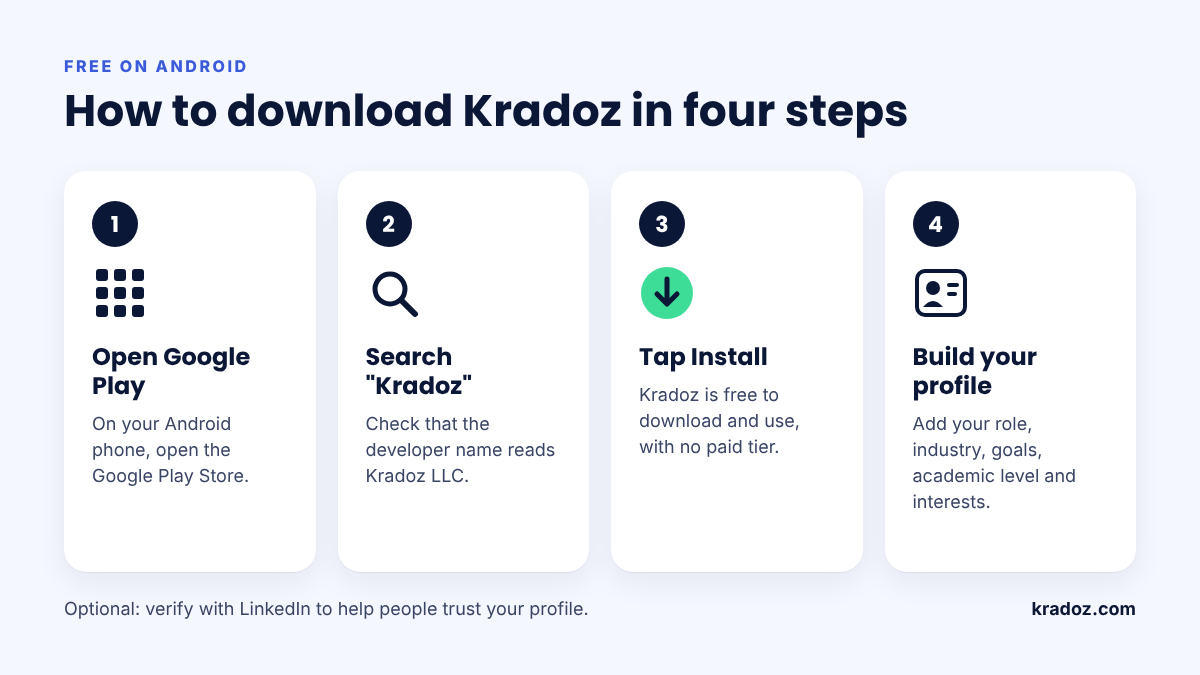
- Open the Google Play Store on your Android phone.
- Search for Kradoz, or tap the download button on this page.
- Check that the developer name reads Kradoz LLC. This simple habit also protects you from copycat apps.
- Tap Install and wait for the download to finish.
- Then open Kradoz and create your account.
- Fill in your profile, then verify with LinkedIn if you want the extra trust signal.
Still deciding which phone to use for work? Our guide on choosing between iPhone and Android covers the pros and cons.
Set up a profile that gets a yes
Your profile does most of the work on Kradoz. After all, people decide whether to connect based on what they see. So keep it clear and specific:
- Name your role plainly. “Product designer at a fintech startup” says far more than “creative professional”.
- Pick goals you want right now. If you need a co-founder, say so. Vague goals lead to vague matches.
- Add real interests. Shared interests also give you an easy opening line.
- Include your academic level. This helps students and researchers find peers at a similar stage.
- Verify with LinkedIn. It is optional, yet it gives people one more reason to trust you.
Your first week on Kradoz: a simple plan
Networking works best as a small habit, not a one-day sprint. Try this plan for your first seven days:
- Day 1: Finish your profile and verify it.
- Days 2 to 5: Spend ten minutes a day on your matches. Only say yes when you can name a reason to talk.
- Whenever you match: Send a short message within a day. Mention their goal, share yours and suggest a 20-minute call.
- Day 7: Follow up with everyone you spoke to. A quick thank-you and one clear next step is enough.
Need ideas for that first call? Try our list of coffee chat questions. Afterwards, read how to follow up after networking so the connection does not fade.
Stay safe while you network
A few simple rules help you stay safe on any networking app:
- Keep early conversations inside the app until you trust the person.
- Start with a video call, and choose a public place if you meet in person.
- Never send money, ID documents or passwords to a new contact.
- Be careful with anyone who rushes you or pushes an investment.
For more advice, visit the Kradoz Safety Center.
Frequently asked questions
Is Kradoz really free?
Yes. Kradoz is free to download and free to use, with no paid tier. You can check the details on our pricing page.
Is Kradoz available on iPhone?
Not yet. Kradoz is Android only for now, but an iOS version is in development.
Do I need a LinkedIn account to join?
No. LinkedIn verification is optional. However, we recommend it, because a verified profile helps other members trust you.
Can strangers message me on Kradoz?
No. Kradoz uses double opt-in, so a chat opens only when you and the other person both say yes.
Can I use this free business networking app outside the US?
Yes. We built Kradoz for professionals everywhere, from the US and UK to Germany, the Gulf and Southeast Asia. However, availability depends on Google Play in your country.
Ready to try a free business networking app on Android?
A good networking app should save you time, not fill your inbox. Kradoz keeps it simple: clear profiles, matches based on goals and interests, and chats that open only on a mutual yes. Since it costs nothing, trying it carries very little risk.
Download Kradoz on Google Play and set up your profile today. Want to compare options first? Browse our roundup of Android apps for meeting professionals, or see how Kradoz compares on our alternatives page.